

The best mobile stablecoin wallets for global card payments let you hold a dollar-pegged balance and spend it wherever the card network is accepted, without moving money through several apps first. The six options below take different routes to the same goal: a stablecoin account with its own card, exchange-linked cards, a prepaid card, and self-custody wallets with a card attached.
Holding USD stablecoins on a phone is easy. Spending them at a café in Dubai, a hotel in Lisbon or an online store in Singapore is where products start to differ. The questions that matter are where the balance sits, who controls it, how the card draws on it, what it costs, and whether you can open the account where you live.
Quick comparison
| Wallet | How you hold stablecoins | Card | Availability noted | Pricing noted |
| Plasma | Stablecoin account | Visa | Available to UAE residents | Tiers: Lite, Core, Platinum; Core $199 per year |
| Krak Card | Multi-asset balances in the Krak app, including USDC | Mastercard (UK, EEA); Visa (US) | UK, EEA and US | Check the current fee schedule |
| Bybit Card | Bybit Funding Account | Varies by regional programme | Region-dependent | Crypto conversion fee on non-fiat funding |
| Crypto.com Prepaid Card | Prepaid balance topped up from the Token Wallet | Visa | Region-dependent | Physical card issuance fee may apply |
| MetaMask Card | Self-custody MetaMask wallet | Mastercard | Country-dependent | Check current programme fees |
| Gnosis Pay | Self-custodial Safe account on Gnosis Chain | Visa | Region-dependent | Free card order; replacement fee applies |
How these wallets were compared
Each option was reviewed against its own public product pages and help documentation as of November 2026. No hands-on testing was carried out. Every pick had to meet two conditions: it holds or connects to a stablecoin balance, and it links to a card accepted on a global payment network.
Within those limits, the comparison looks at five things:
- Custody model. Whether the balance sits in a provider account, an exchange account, a prepaid balance or a wallet the holder controls.
- Funding route. How stablecoins reach the card, and which tokens and networks are supported.
- Card network. Visa or Mastercard, and whether that changes by region.
- Disclosed costs. Fees and tier prices the provider publishes.
- Eligibility. Where the card can be opened, as distinct from where it can be used.
The best mobile stablecoin wallets with card payments
1. Plasma
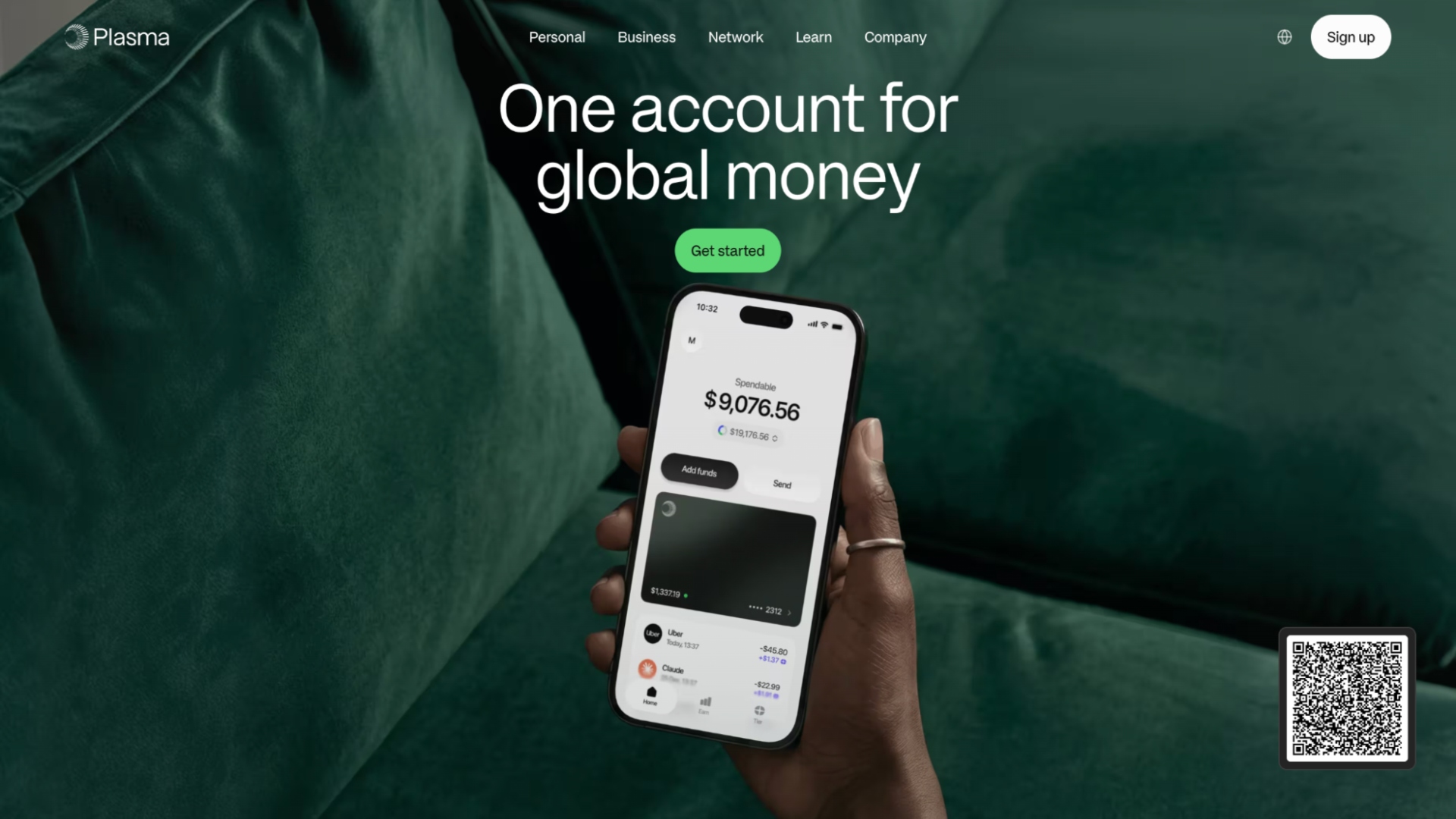
Plasma offers a stablecoin account and Visa card, a stablecoin card setup built for people who want to hold digital dollars and use them for everyday purchases in one place. It’s available to UAE residents in three tiers, Lite, Core and Platinum.
- Stablecoin account. Holders keep a stablecoin balance in their Plasma account.
- Visa card. The balance is spent through a Visa card from Plasma.
- Three tiers. Lite, Core and Platinum, with Core priced at $199 per year.
- Balance yield. Up to 6%, varying by tier.
- UAE availability. Open to UAE residents.
2. Krak Card
Krak is the payments app from the team behind Kraken, and the Krak Card lets holders spend from more than 600 supported balances, including US dollars and USDC. Holders choose the order in which balances are used at checkout. The card runs on Mastercard in the UK and EEA and launched on Visa in the US in August 2026. It suits Kraken users who want stablecoins and other assets in one spending app.
- Multi-asset spending. USDC sits alongside fiat and crypto balances on one card.
- Spending order. Holders set which balance is used first.
- Mobile wallets. The virtual card can be added to Apple Pay or Google Pay before the physical card arrives.
- Cashback. Up to 2%, paid in dollars or Bitcoin in the US.
3. Bybit Card
Bybit Card draws on assets held in a Bybit Funding Account, so there is no separate card balance to top up. Its default payment priority puts USDT first and USDC second. With Auto-Deduction switched off, payments use supported fiat and the selected payment asset in the Funding Account, not funds held in Easy Earn. It suits existing Bybit customers who already keep stablecoins on the exchange.
- Stablecoins first. USDT and USDC lead the default payment order.
- Funding Account source. Purchases draw directly on the exchange balance.
- Earn controls. Auto-Deduction decides whether Easy Earn balances can fund payments.
- Conversion cost. A crypto conversion fee applies to purchases funded with non-fiat assets, stablecoins included.
4. Crypto.com Prepaid Card
The Crypto.com Prepaid Card spends from a pre-loaded balance that is topped up from eligible assets in the Crypto.com app. The documented Cronos top-up route accepts USDC, ETH and tokens that can be swapped into either. An optional Auto Top-Up reloads the card from the Token Wallet when the balance runs low. It suits people who prefer a set spending balance kept apart from their other holdings.
- Prepaid model. Purchases draw on the loaded card balance only.
- USDC funding. The Cronos route supports USDC and assets swappable to USDC or ETH.
- Auto Top-Up. The card can reload automatically from the Token Wallet.
- Card costs. Requesting a physical card may involve an issuance fee.
5. MetaMask Card
MetaMask Card links a Mastercard to the MetaMask wallet, and assets stay in the wallet until the moment of payment. Supported assets include USDC and USDT, and the virtual card works with Apple Pay and Google Pay where the programme is available. Holders keep control of their keys and take responsibility for protecting them. It suits existing MetaMask users who want to spend without pre-loading a separate account.
- Self-custody spending. Funds remain in the holder’s wallet until checkout.
- Stablecoin support. USDC and USDT are among the spendable assets.
- Mobile payments. Tap-to-pay through Apple Pay or Google Pay.
- Country check. Card availability depends on the holder’s location, separate from wallet access.
6. Gnosis Pay
Gnosis Pay links a Visa debit card to a Gnosis Card Safe, a self-custodial smart account on Gnosis Chain. The card can spend only EURe, GBPe and USDCe, and only on Gnosis Chain, with the token set by the holder’s region. Assets on other networks must be swapped or bridged before they can be spent. It suits self-custody users who spend in euros, pounds or dollars and are comfortable managing on-chain transfers.
- Self-custodial account. The spending balance sits in a Safe the holder controls.
- Three stablecoins. EURe, GBPe and USDCe are the only spendable tokens.
- Single network. Funds must be on Gnosis Chain to reach the card.
- Card fees. Card ordering is free; replacing a lost or stolen card carries a fee.
How to choose a stablecoin wallet with a card
Start with where you live, then decide how much control you want over the balance. Everything else follows from those two answers.
- Confirm you can open it. Card acceptance is global, but account opening is not. Check the provider’s country list before you move any funds.
- Pick a custody model. A provider account or exchange balance is simpler to manage. A self-custody wallet keeps the keys with you, along with the responsibility for protecting them.
- Match the token and network. Some cards spend only certain stablecoins on one chain. Sending the wrong token, or the right token on the wrong network, can leave funds unusable for spending.
- Read the cost line by line. Look for tier prices, conversion fees, card issuance fees and replacement fees. A fee that isn’t quoted on a comparison page may still apply.
- Treat rewards as variable. Cashback and balance yield are separate features, and advertised rates are ceilings. Neither changes the fact that a stablecoin can move away from its peg.
- Test your regular payments. Some subscriptions and merchants decline prepaid or crypto-linked cards. Try a small payment, both with the card itself and through a mobile wallet such as Apple Pay or Google Pay, before you move recurring bills across.
FAQ
What is the best mobile app for holding USD stablecoins?
It depends on how you plan to use them. If the goal is everyday spending, pick an app that pairs the balance with a card you can open in your country. If the goal is control, a self-custody wallet with a linked card keeps the keys with you. Exchange-linked cards work best for people who already hold stablecoins on that exchange.
Does the merchant receive stablecoins when I pay?
No. In crypto-linked card programmes, the merchant receives a standard card payment through the card network. The conversion from the stablecoin balance happens on the holder’s side, so the merchant does not need to accept tokens.
Can I use these cards outside my home country?
Usually, yes, wherever the card network is accepted. Opening the account is a separate question. Each provider sets its own list of eligible countries, and physical card delivery and mobile wallet support can vary by region too.
Is a stablecoin balance the same as holding cash?
No. A stablecoin is designed to track a currency such as the US dollar, but it can trade away from that value. A card that looks and works like a normal debit card does not change the nature of the balance behind it.
Self-custody or provider-held: which is safer?
Neither is safer in every case. Self-custody removes reliance on a provider holding your funds, but losing your keys can mean losing access. A provider-held balance is easier to recover if you lose your phone, but access depends on that provider’s account rules.